




The cost of a poor workstation isn't just written in your medical records—it’s reflected in your daily performance. When you hunch over a laptop, your ribcage collapses, compressing your diaphragm. This structural collapse limits your lung capacity, leading to shallow "chest breathing." And then reduce oxygen intake.
Therefore, proper alignment ensures that blood and oxygen flow unimpeded to the brain, maintaining the cognitive endurance required for deep work. In short: Your chair isn't just a seat—it's the foundation of your mental clarity.
5 Visual Red Flags (Self-Audit)
Generally, your body provides visual "tells" that your current setup is working against your anatomy. Yes, only by a photo.
1. Forward Head
Check the alignment of your earlobe. In a neutral, healthy spine, your ear should be stacked directly over the center of your shoulder. For every inch your head drifts forward to meet your screen, you add roughly 10 pounds of extra pressure to your cervical spine.
2. Desktop Hunch & Potbelly Effect
This is a two-fold structural failure. First, notice if your shoulders are in internal rotation. Second, look at your lower back. When you lose lumbar support, your pelvis often tilts forward (as Anterior Pelvic Tilt medically). From the side profile, your back will look like a "C."
3. Asymmetrical Wear
We all have a "dominant" lean—usually toward our mouse hand or a favorite armrest. Over months, this creates asymmetrical muscle tension that can lead to hip misalignment.
4. "Perched" Position
Are you sitting on the front third of your chair? People "perch" when their chair’s backrest is too far back or provides no meaningful support. This forces your core to work overtime just to keep you upright, leading to rapid fatigue and "slumping" by midday.
5. Mouse Shoulder
Look at the angle of your dominant arm. If your elbow is reaching forward away from your torso to use the mouse, you are putting constant tension on your rotator cuff and traps. Therefore, if you have to reach "into" your desk to work, your chair height or armrest positioning is failing you.
If you checked more than two of these boxes, your "silent" strain is actively progressing toward a chronic injury.

Biological "Domino Effect"
When we ignore the visual red flags from the last section, the body begins a series of internal compensations. We can refer to it as the "Domino Effect."
1. Digestive Compression: The Slouch-Stomach Connection
When you succumb to the "Desktop Hunch," you are physically shortening the space between your ribcage and your pelvis. This collapses your abdominal cavity, literally squeezing your internal organs. This pressure can lead to acid reflux (GERD) and slowed digestion.
Research from SETX Spine suggests that many office workers attribute their "heavy" afternoon feeling to lunch, when it is actually their posture preventing proper nutrient absorption.
2. Respiratory Restriction: 30% Oxygen Penalty
As your shoulders round forward, your pectoralis minor muscles tighten, pulling your ribcage down. This prevents your lungs from fully expanding. You begin "shallow breathing," using only the upper portion of your lungs. This reduces your oxygen intake by as much as 30%.
Lower oxygen levels in the blood mean less oxygen reaching the brain and result in lethargy. This is the reason why many people try to cure with a third cup of coffee.
3. Circulatory "Kink in the Hose"
Sitting in a chair with a poor seat pan or a "Perched" position creates pressure points behind your knees and at your hips. Over time, poor circulation can contribute to the development of varicose veins and deep vein thrombosis (DVT).
4. Cortisol and the "Structural Stress" Response
Your brain interprets poor posture as a sign of physical distress. Shallow breathing and muscle tension signal the sympathetic nervous system to stay in a "Fight or Flight" state. Your body produces more cortisol (the stress hormone).
3-Point Workstation Audit
Without a professional ergonomist. By using these three diagnostic benchmarks, you can transform your desk from a "strain zone" into a high-performance cockpit.
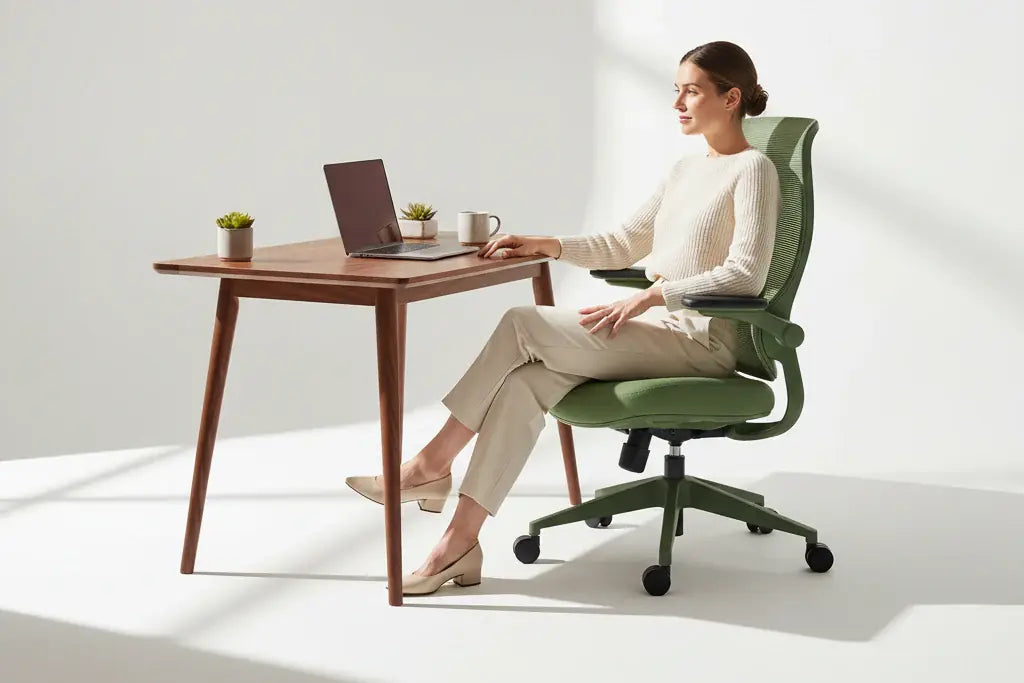
Point 1. The 90-90-90 Rule
Ergonomics is a game of angles. To minimize the load on your joints, your body should ideally maintain three specific 90-degree angles while seated:
- Ankles (First 90°): Feet should be flat on the floor. Not tucked under the chair or crossed.
- Knees (Second 90°): Your thighs should be parallel to the floor, with the back of your knees roughly 2–3 inches away from the seat edge.
- Hips (Third 90°): Your torso should be upright, creating a right angle with your thighs.
Point 2. Curing Tech Neck
The top third of your monitor should be at direct eye level. This ensures that your natural gaze falls slightly downward toward the center of the screen without you having to tilt your chin. Use a monitor arm to raise your screen.
If you work on a laptop, an external keyboard is non-negotiable—you cannot have both the screen and the keys at the correct height on a single device.

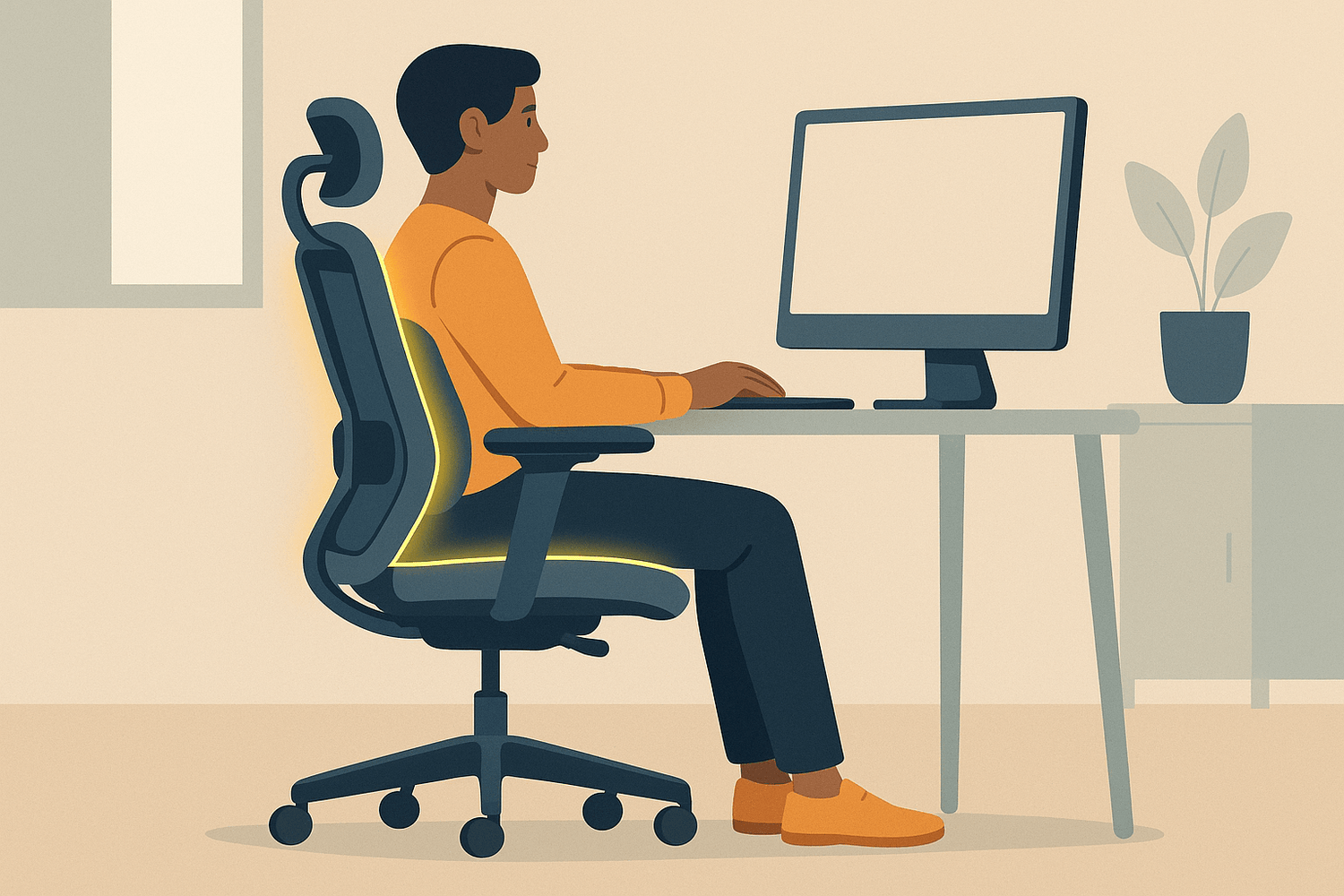
Point 3. "Lumbar Gap" Test
Best test to prevent back pain. Sit all the way back in your chair, so your bottom touches the backrest. You can test by hand. In a proper posture, your hand can't slide into the space between the lower back and the chair.
Sunaofe Insight: Most standard chairs have a "static" lumbar support that only fits one body type. If you move, the support vanishes. This is where Adaptive Lumbar Technology (like the Morph series) changes the game—the support "tracks" your spine as you lean or shift, ensuring the gap stays closed.

Browse our article "Standing or Sitting" to learn more about "Sunaofe" Posture Reset. 20/20/20 Gold Rule for Posture: Every 20 minutes, stand for 20 seconds, and look 20 feet away.
Stop Reacting, Start Preventing
If you work a standard full-time job, you will spend approximately 2,000 hours a year in your office chair. Over a decade, that is 20,000 hours of pressure on your spinal discs, compression on your digestive organs, and restriction of your breathing. An ergonomic chair is not a "purchase"—it is an investment in 10 years of structural health.


Leave a comment
All comments are moderated before being published.
This site is protected by hCaptcha and the hCaptcha Privacy Policy and Terms of Service apply.