




Introduction: The September Hybrid Refresh
As September 2026 brings a wave of professionals back to their desks, the "back-to-work" season has shifted from a corporate office requirement to a home-office optimization movement. With 52% of remote-capable U.S. employees now operating in hybrid models, the traditional desk setup is no longer sufficient. The current focus is moving away from static, expensive furniture and toward the "Hybrid Hub"—a philosophy that prioritizes modular, one-cable minimalism and behavior-driven habits to sustain long-term comfort.

The reality of hybrid work is that your workspace needs to be as flexible as your schedule. If you are splitting your time between the corporate office and a home studio, the equipment you choose for your home must support the same health-conscious habits that professionals are now expected to maintain under updated 2026 OSHA guidelines regarding early reporting and ergonomic maintenance.
Beyond the Static Desk
The most common mistake when building an ergonomic laptop setup is viewing it as a collection of stationary objects. Instead, consider your desk as a dynamic workspace. Modern productivity relies on your ability to move, adjust your viewing angles, and keep your primary working surface free of clutter.
Rather than simply buying a chair and hoping for the best, the current trend emphasizes: * Behavior Over Gear: Experts increasingly suggest that building consistent habits—such as taking posture breaks and ensuring eye-level screen alignment—is more critical to preventing musculoskeletal strain than any single piece of hardware. * Minimalist Tech Integration: A clean desk reduces mental friction. Utilizing modular monitor arms allows you to reclaim your desk space, enabling a one-cable lifestyle that supports rapid transitions between work and personal projects. * Hybrid Adaptability: Your home setup should mirror the professional standards of your office, ensuring that your body doesn't "reset" into poor posture patterns during your remote days.
The Q4 Reset
As we enter the final quarter of the year, this is the ideal time to audit your environment. Whether you are dealing with persistent neck fatigue or simply trying to improve your focus, the goal is to create a seamless, pain-free environment that supports your physical well-being. By focusing on smart, adjustable tools rather than just bulk, you can transform your home office into a hub that keeps you energized throughout the workday.
For those looking to prepare their workspace for the months ahead, you can find further practical advice on optimizing your desk layout in our guide on the Q4 reset and preventing hybrid work micro-strains.
The 'One-Cable' Philosophy: Why Monitor Arms Win
Elevating your display is the single most effective way to address the "hunching" habit that plagues hybrid professionals. While a standard laptop stand provides a basic height adjustment, it often consumes valuable desk surface area and lacks the structural flexibility required for a truly optimized workspace.
The Case for Modular Flexibility
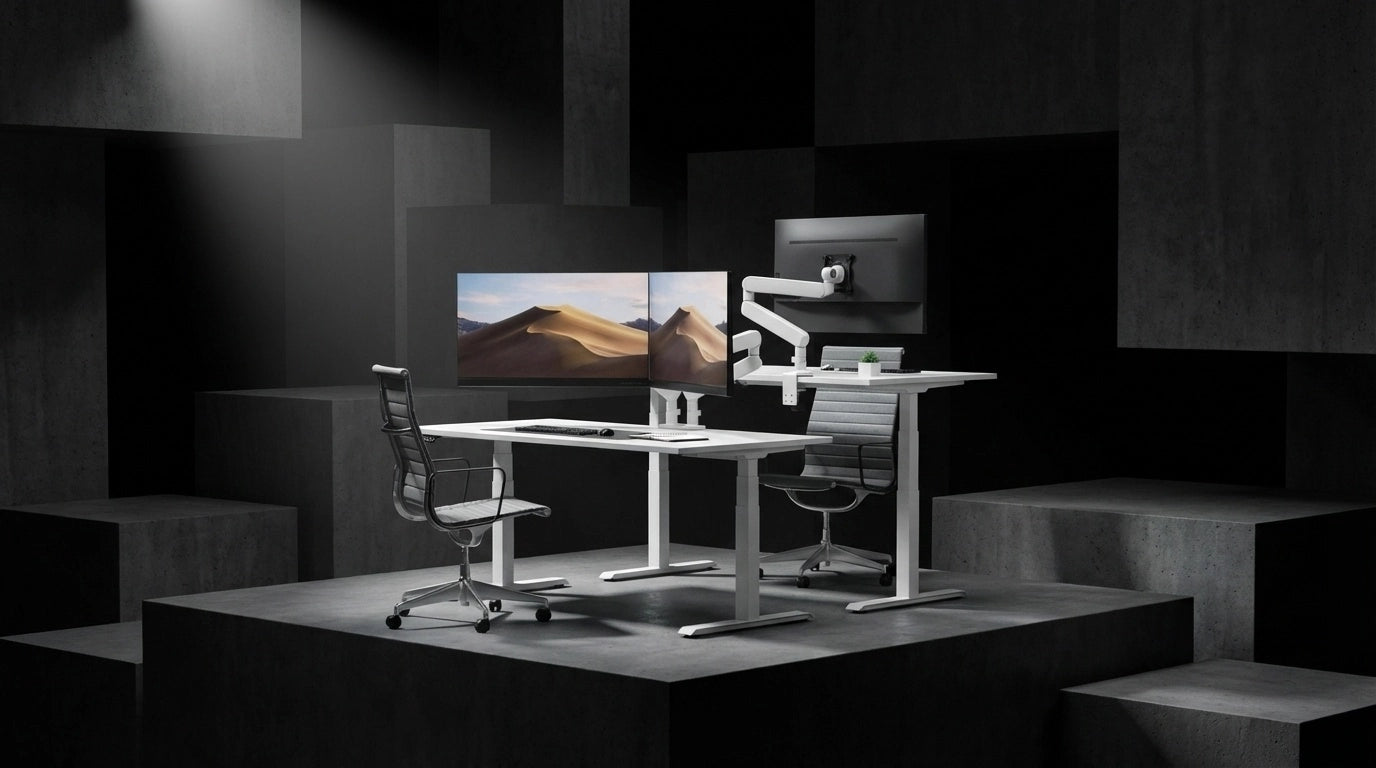
A modular monitor arm system changes the geometry of your workspace. By lifting your screen off the desk surface, you reclaim the footprint previously occupied by bulky stands, creating the "clear desk" environment essential for creative focus. Unlike fixed stands, high-quality arms allow for dynamic adjustments, letting you pull the screen closer during deep-focus tasks or push it back to make room for manual work or physical documentation.
For those transitioning to the "one-cable" lifestyle, the rise of 90W+ USB-C monitors has made the desktop environment significantly more manageable. Pairing these high-capacity displays with a dual modular monitor arm allows you to dock your laptop and power your entire display setup through a single connection. This eliminates the "cable spaghetti" that often makes home offices feel cluttered and uninspiring compared to modern corporate hubs.
Efficiency Beyond the Stand
When comparing solutions for an ergonomic laptop setup, consider the following advantages of a dedicated arm system over a static stand:
- Precision Alignment: Monitor arms offer granular control over tilt, swivel, and pivot. This ensures your eyes remain aligned with the top third of the screen, which is critical for reducing neck strain during long hours of digital work.
- Adaptability: As you switch between standing and sitting, or change your seating posture throughout the day, an arm allows you to adjust the screen height instantly. Static stands require physical repositioning of the entire device, which often leads to users neglecting their posture entirely.
- Space Optimization: In smaller home offices, every square inch of desk space matters. Lifting the monitor creates a "floating" effect that makes the workspace feel larger and more organized, fostering a professional mindset even in a compact room.
Designing Your Hybrid Hub
The goal is to build a setup that feels like an extension of your body’s natural movement. By prioritizing modularity, you ensure that your workspace can grow alongside your professional needs. Whether you are adding a secondary screen or upgrading to a larger ultra-wide display, the right arm system provides the stability and tension calibration necessary for heavy-duty multitasking.
By integrating these tools, you aren't just buying furniture—you are investing in a system that encourages the habit of active posture. This is the core of the modern hybrid approach: moving away from static, "set-it-and-forget-it" gear and toward a dynamic environment that supports your physical well-being throughout the entire work week.

OSHA-Aligned Habits: Behavior Over Gear
The 2026 OSHA guidelines have signaled a definitive pivot in workplace safety: the responsibility for musculoskeletal health is shifting toward early identification of discomfort and proactive habit modification. Rather than relying solely on high-cost, static office furniture, the modern approach emphasizes behavioral consistency. An effective ergonomic laptop setup is not just about purchasing equipment; it is about creating a physical environment that forces the body to move rather than remain locked in a single, strained position.
Cultivating Proactive Habits
The most effective way to combat the fatigue associated with long hours of digital work is to integrate movement into the workday. Experts emphasize that the human body is designed for motion, not for sustained, rigid posture.
- The 20-20-20 Rule: To mitigate digital eye strain, every 20 minutes, take 20 seconds to look at something 20 feet away. This simple habit prevents the visual fatigue that often leads to "leaning in," which subsequently causes neck and shoulder strain.
- Micro-Breaks: Rather than waiting for discomfort to set in, schedule brief, intentional movements every hour. Standing up, stretching the chest, and realigning the spine are essential to preventing the cumulative stress that leads to injury.
- Dynamic Positioning: Use your equipment to encourage variety. If you have a monitor arm, adjust the screen height or angle periodically throughout the day. Minor shifts in your gaze and posture prevent the muscles from fatiguing in a single, static orientation.
Moving Beyond Static Gear
While high-end chairs and desks provide a foundation, they are only as effective as the behaviors they support. The current trend in ergonomic design prioritizes "active" support—systems that adjust to your movements throughout the day.
When you view your workspace as a tool for habit formation rather than a collection of static items, the utility of your equipment changes. A monitor arm, for instance, becomes a facilitator for better posture, allowing you to quickly reposition your screen to match different tasks or physical states. This is the core of the "Behavior Over Gear" philosophy: your furniture should adapt to you, not the other way around.
By focusing on these proactive habits, you align your daily routine with the 2026 focus on early, preventative care. Maintaining a neutral posture—where your ears, shoulders, and hips are aligned—becomes significantly easier when your workspace is configured to accommodate your natural range of motion. When you combine these intentional habits with an adaptable, modular workstation, you create a sustainable environment that supports both productivity and long-term physical well-being.
Curating Your Hybrid Hub: Minimalist & Functional
Creating a "Hybrid Hub" requires a balance between professional-grade utility and home-friendly aesthetics. When your workspace doubles as a living area, the visual impact of your equipment matters as much as its functionality. The goal is to move away from the industrial, "tech-heavy" look of traditional office gear toward a cleaner, more integrated design that complements your interior decor.
Prioritizing Versatility and Value
A truly effective setup doesn't require a corporate-level budget. Focusing on modular, high-quality components allows you to build a professional environment incrementally. By selecting items that serve multiple purposes—such as chairs that transition from intense spreadsheet work to relaxed reading or desk accessories that declutter your surface—you maximize your investment without overspending on specialized, static furniture that limits your room's potential.
The Aesthetics of Ergonomics
Modern hybrid professionals increasingly reject the clunky, black-plastic aesthetic in favor of designs that feel like part of the home. This shift is driving demand for furniture that uses refined finishes and lighter color palettes, allowing your ergonomic laptop setup to blend seamlessly into a bedroom, living room, or dedicated home studio.
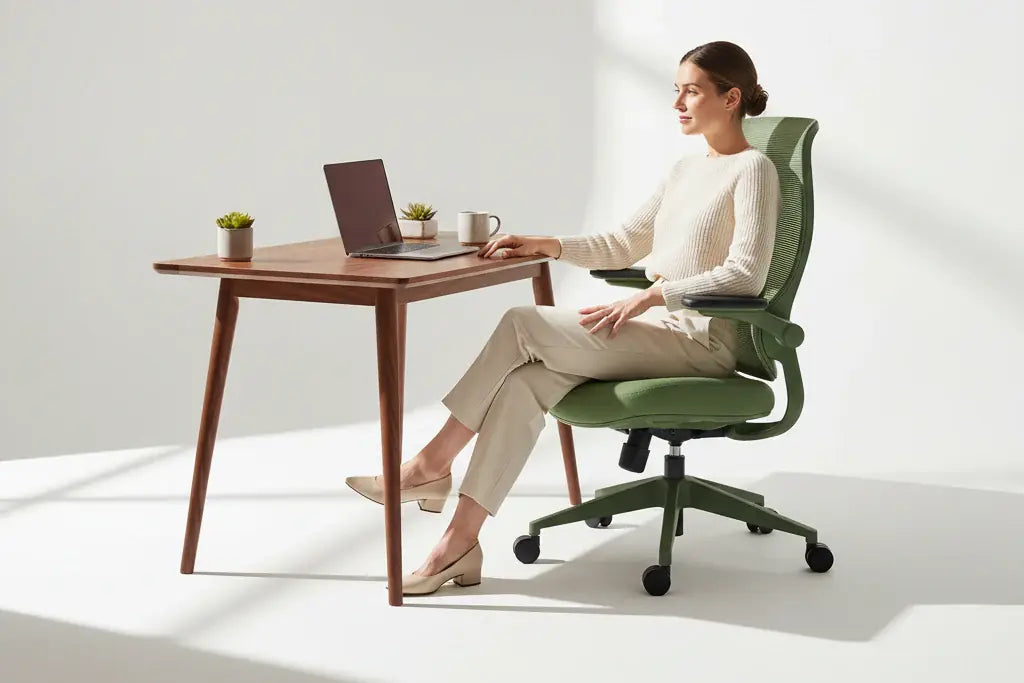
When curating your space, prioritize equipment that offers: * Adaptable Support: Seek chairs that feature auto-tracking lumbar systems. These mechanisms respond to your micro-movements, providing continuous alignment whether you are leaning forward for a deep-focus session or reclining during a virtual meeting. This level of responsiveness is essential for maintaining comfort throughout a long workday without requiring manual adjustments for every task. * Intentional Minimalism: Choose accessories that reclaim your desk real estate. A clean, open surface reduces visual noise, which can significantly lower stress levels and improve concentration. * Durability for Daily Use: Even if your furniture is designed for the home, it must withstand the rigors of a full professional schedule. Selecting pieces engineered with high-elastic mesh or premium, water-resistant materials ensures that your investment remains functional and clean, year after year.
For those looking to transition toward this dynamic style of support, the Morph collection experience highlights how precision engineering can be integrated into a home-focused design language. These solutions are built to accommodate a wide range of heights and postures, ensuring that your furniture remains as flexible as your hybrid schedule.
Affordable Upgrades for the Modern Professional
Upgrading your workspace does not have to happen all at once. Start by addressing the most common points of strain: your eye level and your lower back. By replacing a static chair with a model that features active lumbar support and optimizing your screen height, you create a foundation that prevents the fatigue often associated with remote work. This approach prioritizes long-term health and productivity, ensuring that your home office remains a sustainable, professional environment that you actually enjoy using.
Conclusion: Maintaining Your Setup
Maintaining your workspace is a continuous process rather than a one-time project. As the Q4 hybrid season approaches, the most sustainable approach to your ergonomic laptop setup is to treat your desk as a dynamic environment that evolves alongside your changing projects and physical needs.
Establishing a Maintenance Routine
Equipment is only as effective as the care it receives. To ensure your gear remains in peak condition: * Monthly Tension Checks: Periodically review the tension on your monitor arms and chair adjustments. Over time, heavy displays or frequent recline shifts can cause settings to drift. A quick, two-minute check ensures your screen remains at the precise eye level required to prevent neck strain. * Surface Decluttering: Use your modular setup to maintain a "clear desk" policy. If your desk surface begins to accumulate peripheral clutter, it often leads to poor posture as you reach over obstacles to reach your keyboard or mouse. * Cable Management Audits: Ensure your one-cable USB-C connections remain unobstructed. A clean cable path prevents accidental tugging on your devices and keeps your workspace visually serene, which is vital for maintaining focus in a home environment.
Planning for the Q4 Hybrid Season
The transition into the final months of the year often brings an increase in project intensity and screen time. Rather than waiting for discomfort to arise, use this period to audit your habits. If you find yourself consistently leaning forward toward your screen by the afternoon, it is a clear signal to adjust your monitor height or re-evaluate your seating posture.
The goal is to foster an environment where comfort is the default state. When your workspace is organized to support natural movement—such as shifting from a seated position to standing or adjusting your chair’s recline—you reduce the physical fatigue that often leads to decreased productivity.
The Long-Term Impact of Organization
A well-organized workspace does more than just protect your musculoskeletal health; it provides the mental clarity necessary to navigate complex tasks. By investing in modular, high-quality components, you are building a foundation that supports your professional longevity.
As you move through the remainder of the year, remember that the most successful hybrid setups are those that prioritize flexibility. Whether you are reconfiguring your desk for a deep-focus session or clearing space for analog creative work, your equipment should facilitate these transitions seamlessly. By maintaining a proactive approach to your environment, you ensure that your home office remains a hub of productivity and health, regardless of how your hybrid schedule shifts in the months ahead.
Frequently Asked Questions
What is the best way to set up a laptop for hybrid work in 2026?
The best approach is to prioritize habit changes, such as taking regular movement breaks, over simply buying expensive furniture. Pair your laptop with an external keyboard and mouse, and raise the screen to eye level to ensure your neck remains in a neutral position.
Why are 90W+ USB-C monitors considered essential for 2026 ergonomic setups?
These monitors serve as the centerpiece of minimalist one-cable setups, allowing you to charge your laptop and connect to peripherals simultaneously. This reduces desk clutter and makes transitioning between home and office environments significantly faster and more organized.
How do the new 2026 OSHA guidelines affect my home office setup?
The updated OSHA guidelines emphasize stricter corporate ergonomic compliance and mandate early reporting of discomfort to prevent long-term injury. Employers are now increasingly responsible for ensuring that remote and hybrid setups meet these baseline health and safety standards.
Is an expensive ergonomic chair necessary for a healthy hybrid workspace?
While quality gear helps, experts now declare that behavior change is more critical than the price of your chair. Regularly adjusting your posture and incorporating frequent movement into your workday are more effective at preventing strain than relying solely on high-end equipment.
How common is the hybrid work model for U.S. employees in 2026?
Currently, 52% of remote-capable U.S. employees are working in hybrid models, splitting their time between home and the office. This shift has made it increasingly important to maintain consistent ergonomic habits across both work environments.


Dejar un comentario
Todos los comentarios se revisan antes de su publicación.
Este sitio está protegido por hCaptcha y se aplican la Política de privacidad de hCaptcha y los Términos del servicio.