



Introduction
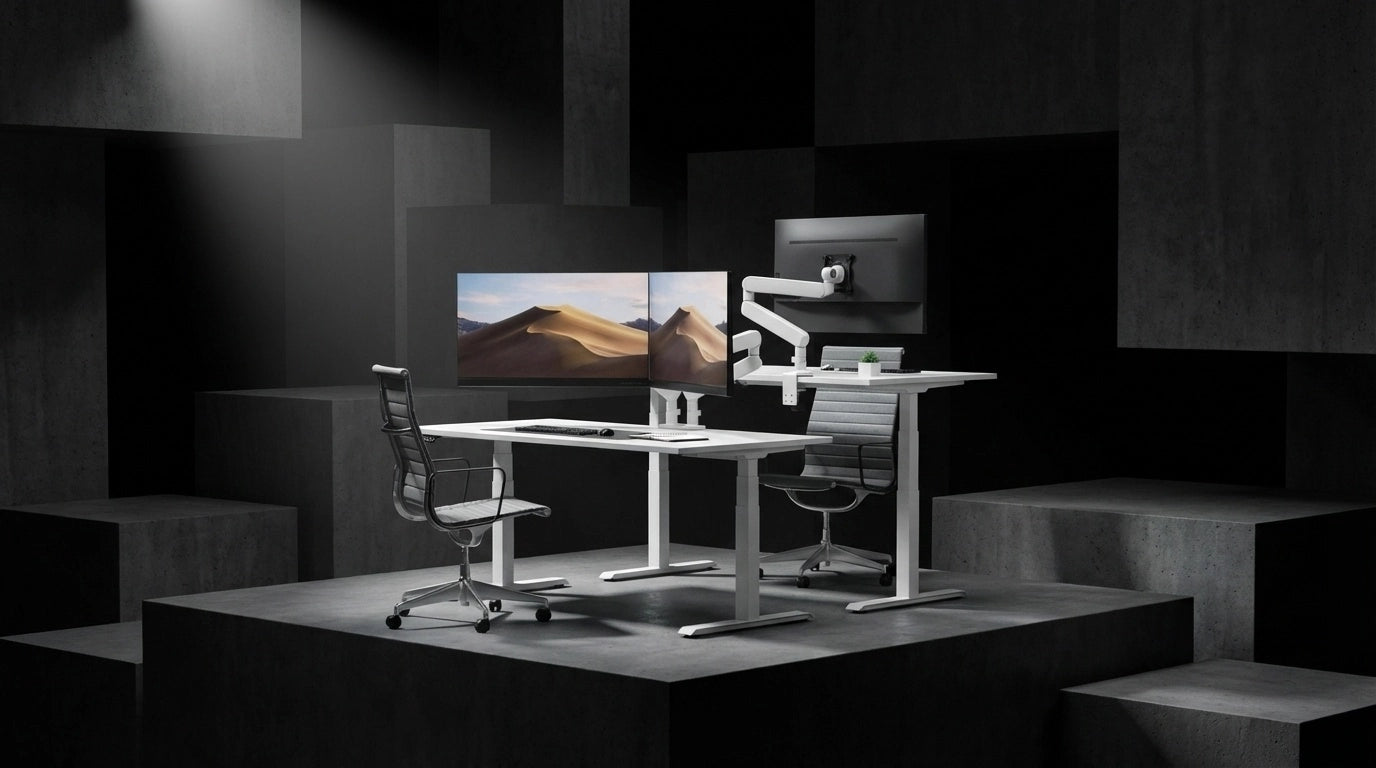
The late-summer "Back-to-Work" season has arrived, and it brings a decisive shift in how professionals view their home environments. As we head into the high-pressure Q4 push, the era of flashy, RGB-heavy gaming aesthetics is rapidly fading. Replacing it is a movement toward "deep work functionalism"—a design philosophy that prioritizes calm, neutral palettes and ergonomic precision to foster sustained focus.

For many, the home office is no longer a temporary corner of the living room; it is now the primary sanctuary for high-output professional tasks. With employees currently spending nearly half of their workweek in hybrid or remote settings, the demand for a distraction-free environment has never been higher. Transitioning your workspace from a casual setup into a high-performance, professional command center is the most effective way to protect your concentration and maintain momentum through the final months of the year.
Building a deep work office setup requires moving beyond superficial decoration. It is about creating a symbiotic relationship between your physical health and your mental clarity. When your environment is optimized—minimizing visual clutter, supporting your spine through active alignment, and eliminating physical distractions—you reduce the cognitive load that often leads to mid-afternoon burnout.
This transition involves three core pillars:
- Aesthetic Neutrality: Trading chaotic lighting and over-designed furniture for warm, minimalist tones that soothe the mind rather than overstimulate it.
- Ergonomic Longevity: Implementing seating and support systems that mirror the body’s movements, ensuring that musculoskeletal strain does not cut your focus sessions short.
- Modular Efficiency: Utilizing clean, cable-free organization to clear the visual field, allowing for a seamless transition between tasks.
By refreshing your space now, you are not just upgrading furniture; you are calibrating your environment to handle the upcoming year-end demands with greater ease. As you prepare for the Q4 workload, the focus shifts away from "more" and toward "better." Every element—from the way your monitor is positioned to the way your chair responds to your posture—should serve the singular goal of keeping you in a flow state.
In the following sections, we will explore how to curate this sanctuary, ensuring your tools support both your productivity and your long-term well-being.
The 2026 Shift: Warm Minimalism and Functional Focus
The aesthetic of the home office is undergoing a fundamental transformation as we approach the final quarter of 2026. The high-contrast, neon-lit gaming setups that dominated previous years are being replaced by "warm minimalism." This shift is not merely stylistic; it is a calculated effort to mitigate the visual fatigue that often breaks a professional's concentration during intense, long-form tasks.
Prioritizing Visual Calm
Visual clutter acts as a persistent background stressor. By adopting a neutral palette—think soft grays, cloud whites, and earthy tones—you reduce the cognitive load required to process your environment. Research indicates that optimized workstations can increase individual productivity by 15%, and much of this gain is attributed to the removal of distracting elements. Natural textures and a restrained color scheme help the brain transition into a "flow state" more efficiently, turning a standard desk into a true deep work office setup.
Designing for Sustained Focus
Beyond color, acoustic and lighting environments are the new pillars of the high-performance workspace. Professionals are increasingly turning to acoustic zoning—using soft textiles or modular partitions to dampen ambient noise—to create a distinct "work-only" zone. This is particularly relevant for hybrid workers who now spend roughly 55% of their workweek managing high-stakes projects from home.
To complement this, circadian lighting has become a standard integration. By adjusting color temperatures to mimic natural daylight cycles, users can align their workspace with their biological rhythm, preventing the mid-afternoon energy slumps that often derail Q4 goals.
The Functionalist Standard
A truly effective sanctuary relies on the seamless integration of form and function. When your equipment disappears into the background, your output takes center stage. This involves: * Zero-Visibility Management: Utilizing modular support systems to clear the desk surface, ensuring that cables and peripheral hardware do not compete for your attention. * Tactile Neutrality: Choosing furniture materials that are comfortable and unobtrusive, allowing the body to remain supported without the distraction of physical strain. * Ergonomic Alignment: Consistent support structures that adapt to your posture throughout the day, ensuring that physical fatigue does not force you to step away from your tasks.
By curating your space with these principles, you move away from a "quick-fix" workstation and toward a permanent, high-output sanctuary. For those looking to refine their daily habits alongside their physical environment, further insights on maximizing professional output through environmental design can provide a foundation for your Q4 transition.

Ergonomic Foundations for Uninterrupted Deep Work
Physical discomfort is the primary disruptor of the "flow state." When you are deep into a design project or a complex analytical task, even minor muscle tension in the lower back or neck acts as a cognitive anchor, pulling your attention away from the work and back to your physical state. Achieving a high-output [deep work office setup] requires shifting from static furniture to systems that actively respond to your body’s micro-movements.
The Role of Active Alignment
The modern professional spends hours in a state of intense concentration, often remaining in a seated position for the majority of the workday. Traditional office chairs, which offer only passive support, fail to adapt as you shift your posture to reach for a peripheral or lean into a screen.
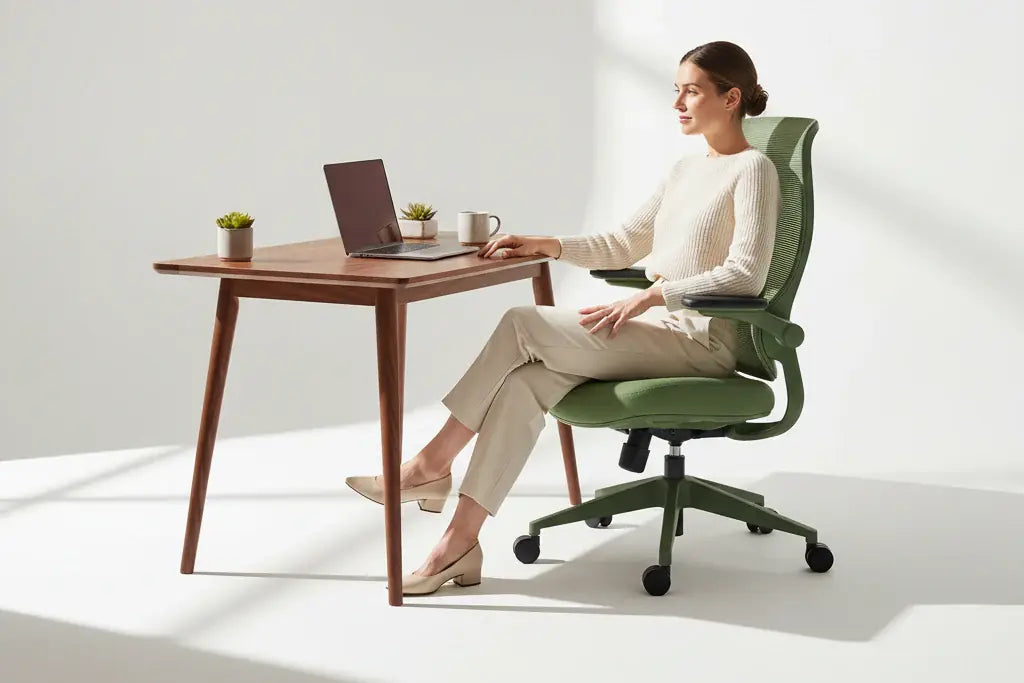
Advanced ergonomic seating now utilizes auto-tracking lumbar systems to maintain contact with the spine regardless of the angle of recline. This continuous, active alignment prevents the "slump" that occurs when core muscles fatigue, ensuring that the spine remains in a neutral, supported position. By eliminating the need to manually adjust your chair throughout the day, these systems allow you to maintain your momentum without the mental distraction of physical readjustment.
Linking Musculoskeletal Health to Mental Output
Sustained mental output is directly tied to your physical comfort. When your musculoskeletal health is supported, your body requires less energy to maintain posture, leaving more "mental bandwidth" available for the task at hand. Ergonomic improvements have been shown to reduce absenteeism by up to 67% by addressing chronic strain at the source.
For those building a [deep work office setup], consider the following functional requirements: * Dynamic Response: Seek chairs that offer a recline range that mirrors natural movement, allowing for fluid transitions between active work and reflective thought. * Armrest Versatility: 7D adjustable armrests provide the necessary freedom to match any posture or desk height, preventing shoulder fatigue during long periods of typing or sketching. * Extended Backrest Geometry: A backrest engineered to accommodate a wider range of heights ensures that support is consistent, regardless of the user's frame.
By integrating furniture that functions as a natural extension of your body, you remove the physical friction that hinders deep work. When your chair handles the complexities of spinal support, your focus remains entirely on the professional challenge in front of you.
For those looking to explore how precision support can integrate into a high-performance workspace, the Morph series experience offers a detailed look at how active tracking technology facilitates long-term comfort. Balancing this hardware with intentional habits—such as the 30/30 rule—ensures that your physical health and professional output remain aligned throughout the Q4 push.
Decluttering for Mental Clarity: The Modular Approach
Visual noise is a silent productivity killer. When your desk is crowded with tangled cables, unnecessary peripherals, and stacks of paper, your brain is forced to process these items as background stimuli. This constant, low-level distraction makes it significantly harder to sustain the cognitive intensity required for a successful [deep work office setup]. By moving toward a modular, "zero-visibility" approach, you reclaim the mental bandwidth necessary to tackle complex Q4 projects.
The Power of Vertical Real Estate
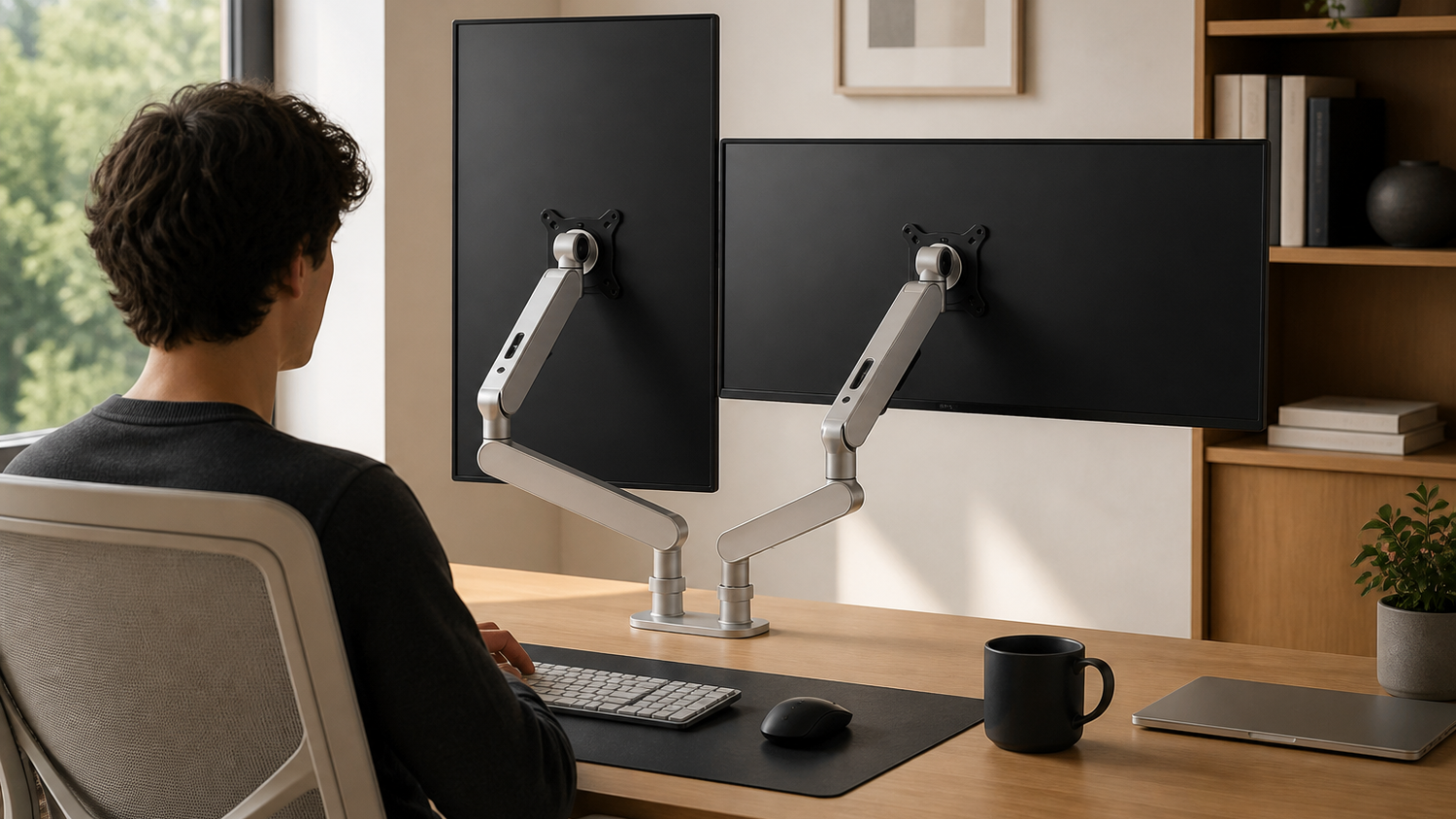
The most effective way to clear a workspace is to move essential tools off the desk surface entirely. Modular monitor arms are the cornerstone of this transformation. By mounting your screens, you eliminate bulky factory stands that consume valuable desk area. This not only creates a sense of openness but also allows for precise, ergonomic positioning that keeps your neck and shoulders in a neutral, relaxed alignment.
A dual-arm system, such as the CTS Dual Modular Monitor Arm, allows for a seamless, gap-free arrangement of your displays. This creates an immersive, "command center" feel without the clutter of individual screen bases. When your monitors float at the perfect height and angle, you remove the physical barriers that often force users into hunched or strained postures.
Mastering Cable Management
Visible cables are one of the most common sources of "aesthetic burnout" in a home office. A high-performance sanctuary requires a disciplined approach to cable routing. When cables are routed through the stems of monitor arms or hidden behind desk legs, the visual chaos of the setup vanishes.
Consider these tactical steps to achieve a clean-desk environment: * Consolidate Power: Use under-desk cable trays to house power strips, ensuring only a single power cord travels from the desk to the wall outlet. * Vertical Routing: Utilize the integrated channels found in high-end monitor arms to guide video and power cables directly from the screen down to the desk surface, keeping them out of your direct line of sight. * Surface Minimalism: Keep only the tools you are currently using within arm's reach. Storing secondary items in drawers or wall-mounted organizers prevents the "desk-creep" that often happens during mid-day tasks.
The Psychological Benefit of an Empty Surface
A clear desk is not just about looks; it is about providing the mind with a "clean slate." When you sit down to work, your environment should signal that it is time to focus. A decluttered space removes the visual triggers that tempt you to check your phone or organize loose papers instead of engaging in deep, analytical thought.
By treating your desk surface as a high-value zone rather than a storage area, you align your physical environment with the requirements of deep work. This minimalist discipline minimizes the friction between your intent to work and the actual execution of your tasks, allowing you to maintain momentum throughout the demanding weeks of the final quarter.
Optimizing Your Workflow for the Q4 Push
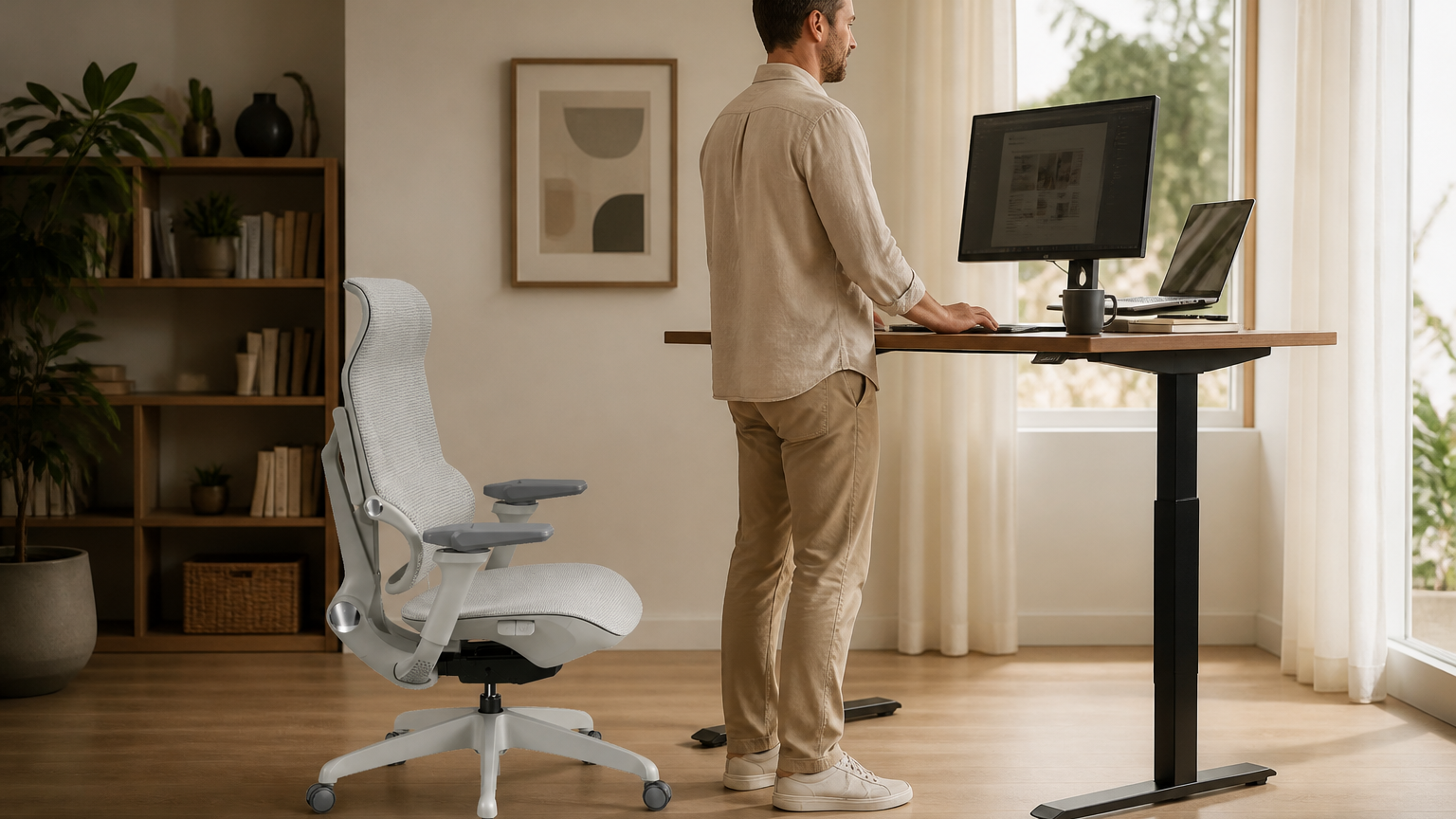
As the Q4 push nears, the difference between a productive day and a drained one often comes down to your physical rhythm. High-output professionals are increasingly adopting the 20-8-2 rule—a framework that suggests 20 minutes of focused sitting, 8 minutes of standing, and 2 minutes of active movement. This cycle prevents the stagnation that leads to physical fatigue and mental burnout, provided your hardware can keep pace.
Balancing Movement and Focus
A truly functional [deep work office setup] requires furniture that doesn't just hold your weight but facilitates these transitions. When you shift from a seated position to standing, your chair should be an afterthought, not a hurdle. Chairs with dynamic tracking and intuitive lumbar support allow you to move between these states without having to manually adjust knobs or levers every time you stand up. By maintaining spinal alignment through every micro-movement, you preserve the energy that would otherwise be spent on correcting your posture.
Hardware as a Productivity Catalyst
Achieving a professional home office aesthetic is less about visual trends and more about removing friction. Every piece of equipment in your workspace should serve a specific purpose, minimizing the "decision fatigue" that occurs when your environment is poorly organized.
Consider how your hardware supports your workflow: * Active Responsiveness: Chairs that utilize auto-tracking lumbar systems mirror your body's movements, keeping you in a flow state by providing consistent support regardless of your posture. * Seamless Transitions: Using modular monitor arms allows you to reposition your screen instantly as you move between sitting and standing, ensuring your focal point remains at eye level. This prevents the neck strain that often cuts deep-work sessions short. * Thermal and Acoustic Management: Beyond the furniture, consider the "sanctuary" aspect of your space. Using low-profile, noise-dampening materials and maintaining a clean, cable-free desk surface contributes to a calm environment that signals to your brain that it is time for high-intensity work.
Preparing for the Q4 Push
The upcoming quarter demands stamina. Professionals who reserve their home days for deep work often find that a minimalist, high-performance setup reduces absenteeism and bolsters long-term health. By investing in tools that prioritize musculoskeletal longevity, you are essentially building a defensive wall against the physical toll of a heavy workload.
When your chair, desk, and monitor setup work in harmony with your body’s need for movement, you no longer fight your environment. Instead, your workspace becomes an extension of your intent, allowing you to sustain focus for longer periods. For a more detailed breakdown on how to structure your daily routine around these ergonomic principles, you can explore the best practices for the 20-8-2 rule. This approach turns your home office into a reliable engine for your most ambitious Q4 goals.
Conclusion: Investing in Your Professional Longevity
The transformation of your workspace into a [deep work office setup] is more than a seasonal refresh; it is a strategic investment in your career. As the Q4 push demands higher levels of cognitive endurance, the physical environment you inhabit becomes the silent partner in your success. By replacing temporary, reactive setups with intentional, ergonomic, and clutter-free systems, you minimize the physical and mental friction that leads to burnout.
Sustainability in the modern professional landscape is defined by the ability to maintain engagement without sacrificing musculoskeletal health. When your furniture actively mirrors your body’s needs—supporting you through long periods of deep focus and facilitating seamless transitions—you preserve the energy typically lost to physical fatigue. This shift toward human-centric, focus-driven design is not just a trend; it is the new standard for those who view their home office as a permanent, high-performance sanctuary.
As you finalize your office adjustments for the coming months, consider these final pillars of a sustainable workspace:
- Prioritize Adaptability: Choose tools that evolve with your workflow. Whether it is a chair that tracks your spinal alignment or a monitor arm that adjusts to your precise viewing angle, your equipment should work for you, not against you.
- Curate for Clarity: Maintain a minimalist aesthetic to protect your cognitive bandwidth. A clean, organized surface allows you to dedicate your mental capacity to the complex tasks that define your professional output.
- Commit to Movement: Integrate active breaks into your routine. Even the most advanced ergonomic chair is most effective when paired with the regular, small-scale movements that keep your circulation flowing and your mind sharp.
Your home office should be a place where professional ambition meets physical well-being. By aligning your environment with the principles of deep work, you create a foundation that supports not just the immediate demands of the upcoming quarter, but your long-term health and professional growth. The investment you make in your workspace today provides the stability and focus required to excel in every challenge that follows.
Frequently Asked Questions
What is Deep Work Functionalism and how does it change office design?
Deep Work Functionalism is the 2026 shift toward prioritizing cognitive output over visual aesthetics. It emphasizes creating a sanctuary that minimizes distractions through intentional layout and sensory control rather than just decorative trends.
Is an ergonomic workstation upgrade actually worth the investment for productivity?
Yes, research indicates that optimized ergonomic workstations can increase individual productivity by 15%. Investing in proper support helps maintain focus during long sessions by reducing physical fatigue and discomfort.
Which is better for a 2026 home office: RGB lighting or warm minimalism?
Warm minimalism is currently the preferred choice for high-output environments as professionals move away from distracting RGB setups. This design aesthetic promotes a calmer, more focused atmosphere that is better suited for the demands of Q4.
How are AI-integrated ergonomics changing hybrid office setups?
AI-integrated ergonomics allow workstations to automatically adjust desk height, lighting, and chair tension based on your real-time posture and fatigue levels. These systems help maintain a peak flow state by proactively managing your physical environment throughout the workday.
Why is acoustic zoning becoming a standard feature in modern office designs?
Acoustic zoning is essential for hybrid professionals to create distinct areas for deep work versus collaborative tasks. By utilizing sound-dampening materials and strategic layout, you can effectively isolate your workspace from ambient noise and maintain concentration.

Leave a comment
All comments are moderated before being published.
This site is protected by hCaptcha and the hCaptcha Privacy Policy and Terms of Service apply.