



Introduction: The Q3 Productivity Reset
As we hit the final stretch of 2026, many hybrid professionals are feeling the cumulative physical toll of long-term desk work. August serves as a critical Q3 productivity checkpoint—a moment to audit not just your project lists, but the tools supporting your physical output. If you have been struggling with mid-afternoon slumps or persistent neck strain, your chair might be the missing piece in your wellness strategy.

The industry is currently undergoing a significant shift. For years, the gold standard for ergonomics was the "perfect static posture"—the idea that if you sat perfectly upright, your body would remain healthy. However, current trends in furniture design, such as those emphasizing movement-first ergonomics, have largely debunked this. We now understand that the human body is designed for micro-movements, not rigid stillness.
When searching for the best chair for posture correction, the focus has moved toward "bio-synchronized movement." This approach recognizes that your spine needs active, continuous support as you shift between tasks, rather than a single, locked-in position. Modern engineering is prioritizing systems that track your spine’s natural arc in real-time, effectively closing the "forward-leaning gap" that occurs when you reach for a mouse or lean toward a screen.
This evolution is particularly vital for the hybrid professional who spends hours toggling between deep-focus work and collaborative video calls. A chair that forces you into a singular, static posture often leads to "empty waist" syndrome, where the lumbar support fails the moment you lean forward. In contrast, active tracking technology ensures that the backrest maintains contact with your spine throughout these subtle shifts, preventing the tension that builds up in the shoulders and lower back over an eight-hour day.
As we move through the remainder of the year, ergonomics are no longer viewed as a premium luxury upgrade; they are a standard requirement for maintaining professional health. By moving away from the outdated goal of static perfection and embracing chairs that utilize dynamic, adaptive lumbar systems, you can better align your physical environment with the demands of a modern, multi-tasking workflow. This mid-year reset is the ideal time to evaluate whether your current setup is truly supporting your body or if it is time to transition to a more responsive, bio-synchronized solution.
The 'Forward-Leaning Gap' and Why Static Chairs Fail
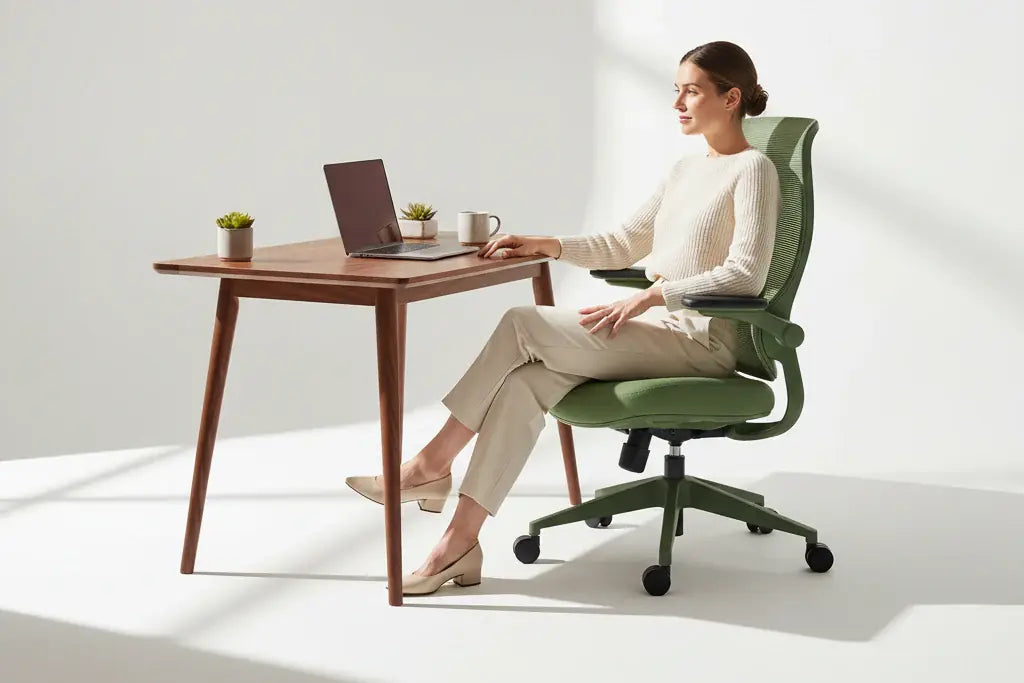
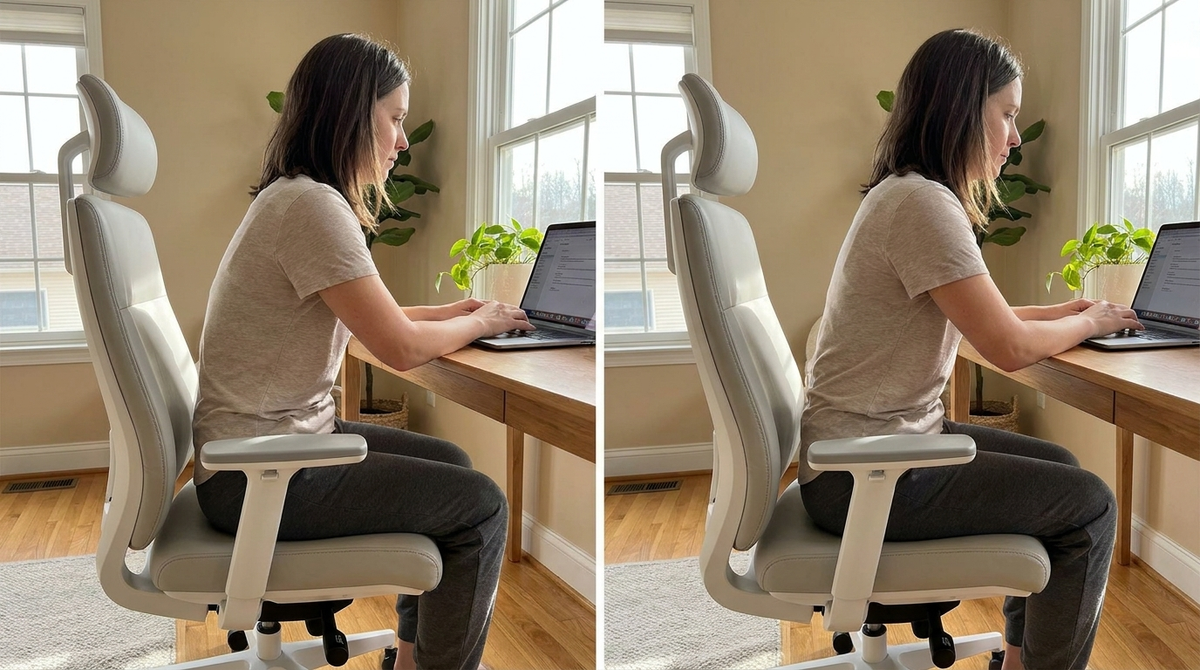
Deep work often demands a forward-leaning posture, yet most office furniture is engineered for a reclined or perfectly upright position. When you hunch over to focus on a screen, write, or sketch, your lower back often loses contact with the lumbar support. This phenomenon—often called the "empty waist" syndrome—creates a significant gap in spinal alignment, forcing your lower back muscles to compensate for the lack of structural support.
Traditional chairs frequently fail to address this because they rely on rigid, static lumbar zones that cannot travel with your spine. When you shift your weight forward, the chair stays behind, leaving your lumbar region unsupported and vulnerable to strain. This is a primary reason why many professionals find their productivity dipping by the end of the day; the body is fighting the chair rather than being supported by it.
Understanding the mechanics of your seat is the first step toward finding the best chair for posture correction that actually works for your workflow. For technical context on how different tilt mechanisms impact your lumbar contact, you can refer to our guide on Synchro Tilt vs. Center Tilt: The 2026 Guide to Better Focus.
To mitigate the forward-leaning gap, look for chairs that prioritize:
- Dynamic Lumbar Tracking: Systems that physically shift or pivot as you move, ensuring the support pad stays flush against your spine regardless of your lean angle.
- Active Pelvic Support: Mechanisms that tilt the seat pan slightly to maintain the natural curve of your lower back, even when your torso is angled toward your desk.
- Adjustable Reach: Components that allow you to bring your work closer or adjust your armrests to maintain a neutral shoulder position, preventing the "hunch" that typically triggers lower back discomfort.
The goal is to eliminate the need for constant manual readjustment. A chair that requires you to stop working, stand up, and fiddle with knobs every time you shift your focus is not serving your productivity. Instead, modern ergonomic design focuses on "bio-synchronized movement," where the chair adapts to your micro-movements in real-time. By closing the forward-leaning gap, you allow your core to remain relaxed and your spine to remain aligned, which is essential for maintaining focus throughout the long hours of the Q3 grind.
If you are currently using a chair that forces you to choose between being upright or being comfortable, it is likely time to audit your setup. True ergonomic support should be invisible; it should simply move with you, providing constant, active alignment as you transition between deep focus and collaborative tasks.

Bio-Synchronized Movement: The 2026 Ergonomic Standard
The shift toward "bio-synchronized movement" represents the most significant evolution in workplace wellness this year. As of August 2026, the ergonomic furniture market has reached a valuation of $13.41 billion, with a growing consensus that the best chair for posture correction is no longer one that locks you into a single position, but one that actively follows your body’s natural rhythm.
Modern engineering is moving away from the "statue-like" approach to seating. Instead, the current industry standard—highlighted by the June 2026 debut of technologies like "Cognetic" systems—prioritizes movement-first ergonomics. This approach acknowledges that your spine is designed for motion, not for holding a static, rigid angle for eight hours a day.
Tracking Micro-Movements for Spinal Health
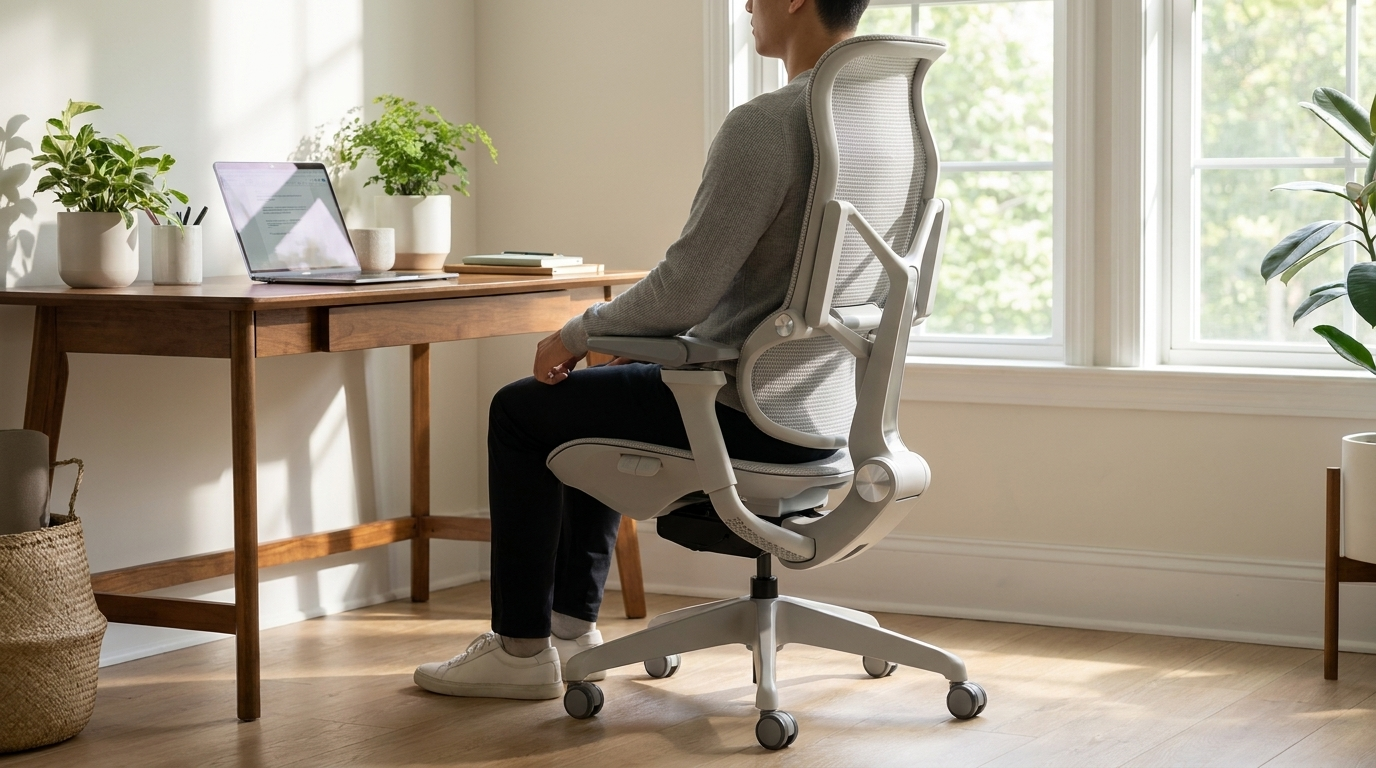
An active tracking ergonomic chair for back pain relief functions by mirroring your body’s subtle shifts. When you reach for a coffee, stretch your shoulders, or shift your weight to adjust your monitor, an adaptive lumbar system maintains constant contact with your lower back. This constant, micro-level support prevents the muscle fatigue that typically sets in when you are forced to consciously "hold" your posture.
By utilizing dynamic tracking, the chair effectively eliminates the "dead air" between your spine and the seat back. This is particularly vital for those who spend their day multitasking, as an office chair that supports micro-movements for spine health ensures that even when you are not perfectly upright, your vertebrae remain supported.
The New Benchmark in Active Support
The Morph Edition Series exemplifies this transition toward responsive design. Rather than relying on a fixed, unyielding backrest, the Morph series utilizes an auto-tracking lumbar mechanism. This system is engineered to accommodate a wider range of heights and postures, ensuring that the support moves in tandem with your spine.
By integrating 7D armrests, this design philosophy extends beyond the backrest. It allows users to match any posture or setup, whether you are performing high-intensity keyboard work or leaning back to review documents. Because ergonomic chairs now account for 45% of the total ergonomic furniture market, the shift toward these adaptable, movement-oriented systems is clearly where the industry is heading.
For the hybrid professional, the goal is to choose a workspace setup that feels like an extension of the body rather than a constraint. By prioritizing furniture that adapts to you, you reduce the physical tax of your Q3 projects and build a foundation for long-term health.
Relieving Tension: The Role of 7D Armrests
Neck and shoulder tension often originates not from your monitor height, but from the lack of support provided to your forearms. When armrests are fixed or offer only basic height adjustment, they force your shoulders into a perpetual state of elevation or internal rotation. This creates a chain reaction of muscle fatigue that travels from the trapezius down to the cervical spine, undermining even the most disciplined posture.
Why Static Armrests Compromise Your Alignment
Many professionals inadvertently hunch their shoulders toward their ears while typing or using a mouse. This is a common compensation mechanism when armrests do not meet the specific geometry of the user’s body or the desk surface. If your armrests are too high, they push your shoulders upward; if they are too low, you are forced to lean forward, further straining your neck.
Finding the best chair for posture correction and neck tension requires moving beyond these limitations. A truly supportive setup must accommodate the transition between different tasks—such as shifting from an upright typing position to a slightly reclined reading angle—without requiring you to manually reconfigure your chair every few minutes.
The 7D Advantage for Personalized Ergonomics
The industry is pivoting toward 7D adjustable armrests as the solution to this chronic tension. Unlike standard models, a 7D system provides a level of granular control that adapts to your unique desk setup, regardless of whether you are using a standard table or a complex standing desk configuration.
These systems typically allow for: * Width Adjustment: Aligning the armrests with your natural shoulder width to prevent inward or outward straining of the rotator cuffs. * Depth and Pivot Control: Allowing the armrests to move forward, backward, or rotate to support your elbows even when you are reaching for a peripheral or leaning in to review documents. * Height Calibration: Providing a precise landing zone for your elbows that keeps your shoulders in a neutral, relaxed position.
By ensuring your forearms remain supported during every phase of your workflow, these armrests eliminate the "shoulder shrugging" habit that leads to end-of-day soreness. When your arms are properly cradled, your upper back and neck are no longer tasked with stabilizing your torso, allowing you to maintain a healthier posture throughout the afternoon.
For those seeking the best adjustable armrest chair for shoulder pain relief, the goal is to find a mechanism that feels intuitive. The best designs allow the armrests to move in sync with your body’s micro-movements, ensuring that your support system is as dynamic as your workday. Prioritizing this level of adjustability is one of the most effective ways to mitigate the physical strain associated with modern, high-intensity hybrid work.
Practical Tips for Your Home Office Setup
Creating a workspace that supports long-term health requires more than just buying a high-end chair; it requires a systematic approach to your environment. OSHA guidance on neutral body positioning serves as a foundational reference, emphasizing that your chair, desk, and monitor should work in concert to maintain the body's natural curves. When your setup is aligned, the pressure on your spinal discs is minimized, allowing for sustained focus throughout the workday.
Optimizing Your Home Office Layout
To achieve a truly ergonomic home office setup, consider these adjustments: * Monitor Alignment: Position the top third of your screen at or slightly below eye level. This prevents the "tech-neck" posture that leads to chronic cervical strain. * Keyboard and Mouse Placement: Keep these devices at a height that allows your elbows to rest at roughly a 90-degree angle, with your wrists in a neutral, straight position. * Floor Contact: Ensure your feet are flat on the floor. If your chair height requires feet to dangle, use a footrest to maintain proper circulation and pelvic alignment.
For hybrid professionals, the transition between office environments can be jarring. A posture correcting desk chair for home office setup acts as an anchor for your physical health, providing the consistency that a shared or "hot-desking" office space often lacks. By investing in a chair that features dynamic lumbar support, you provide your spine with continuous, active alignment that adapts to your position, regardless of whether you are typing a report or reclining to review a presentation.
Selecting the Right Support
When searching for the best chair for posture correction, look for features that specifically address the "empty waist" syndrome. A chair with an auto-tracking lumbar system is particularly effective for hybrid professionals because it maintains contact with your lower back even as you lean forward or shift your weight. This movement-first design ensures that your lumbar spine is never left unsupported during periods of deep, high-intensity work.
The Morph Classic Series is engineered to bridge this gap, offering a dynamic lumbar system that follows your micro-movements. For those who spend the majority of their Q3 schedule at a desk, a dynamic lumbar support chair for sustained productivity is not a luxury; it is a fundamental tool for mitigating the physical fatigue that often leads to burnout.
Ultimately, your chair should be the most responsive element of your office. By prioritizing adaptive engineering that works with your body’s natural rhythm, you can create a workspace that sustains your output without compromising your posture. Keep your setup flexible, ensure your equipment supports your natural geometry, and focus on the micro-movements that keep your body engaged and comfortable throughout the day.
Conclusion: Investing in Your Long-Term Wellness
Investing in high-quality ergonomic furniture is no longer a luxury for the home office; it is a fundamental requirement for maintaining physical health during long-term hybrid work. As we navigate the final months of 2026, many professionals are finding that their existing equipment is no longer sufficient to offset the fatigue of a demanding schedule. Your chair should act as an extension of your body, supporting your natural movements rather than dictating a rigid, uncomfortable position.
The Q3 Wellness Audit
Using the current Q3 productivity checkpoint to audit your workspace is a proactive step toward preventing chronic strain. If you are experiencing persistent discomfort, it is likely that your chair is failing to provide the dynamic support necessary for a modern, multi-tasking workflow. When you move, your chair should move with you. By upgrading to a system that utilizes active, responsive technology, you effectively remove the physical barriers that lead to mid-day burnout.
Why Dynamic Support Matters
The transition toward movement-first ergonomics—as seen in the latest 2026 industry standards—highlights a critical shift in how we approach wellness. The best chair for posture correction is one that eliminates the "empty waist" syndrome by tracking your spinal alignment in real-time, whether you are leaning forward to focus on a complex task or reclining to take a call.
When you choose a chair that prioritizes bio-synchronized movement, you are choosing to support your spine’s natural health throughout the entire work day. This approach addresses the root cause of discomfort by ensuring that your lumbar region is never left unsupported, regardless of your posture.
Making the Right Choice for Your Future
As you look to optimize your home office for the final stretch of the year, consider the following principles:
- Prioritize Adaptability: Look for features that allow for precision adjustments, such as multi-directional armrests and auto-tracking lumbar support.
- Focus on Long-Term Health: View your chair as a wellness tool. A well-engineered seat reduces the long-term risk of muscle fatigue and cervical strain, allowing you to maintain high levels of focus without the physical "burnout" that plagues static setups.
- Continuous Alignment: Ensure that your chosen solution supports your spine through micro-movements. Rigidity is the enemy of comfort; movement is the foundation of sustainability.
By auditing your workspace now, you set the stage for a more productive and physically comfortable end to 2026. Prioritizing equipment that works in harmony with your body’s natural rhythm is the most effective way to ensure that your workspace remains a site of innovation rather than a source of physical stress.
Frequently Asked Questions
What is the best ergonomic chair for posture correction in 2026?
The best chair depends on your specific needs, but top contenders now feature adaptive lumbar systems designed to close the 'empty waist' gap that causes forward-leaning. For those prioritizing active movement, the new KI Cognetic technology is leading the market by shifting focus from static posture to dynamic, movement-first ergonomics.
How does the Hbada AI-powered x7 chair work?
The Hbada x7 utilizes integrated micro-sensors to track your spinal angles 1,000 times per second while you sit. This real-time data allows the chair to make instantaneous adjustments, helping you maintain a neutral spine throughout the workday.
Why is 'active support' better than traditional static posture chairs?
Recent industry trends, such as KI's 2026 Cognetic technology launch, suggest that movement-first ergonomics are superior to static support because they prevent muscle fatigue. By encouraging micro-movements, these chairs keep your core engaged and reduce the stiffness associated with sitting in one position for hours.
Is it worth investing in a high-end ergonomic chair this year?
With the global ergonomic chair market now valued at $13.41 billion and growing at an 8.2% CAGR, the technology has reached a new level of sophistication. Investing in a modern chair is increasingly viewed as a necessary health expenditure to prevent long-term spinal issues caused by poor sitting habits.
What is an 'empty waist' gap and how do I fix it?
The 'empty waist' gap occurs when a chair's backrest fails to support the natural curve of your lower spine, causing you to lean forward and slouch. To fix this, look for chairs featuring new adaptive lumbar systems designed to maintain constant contact with your lower back regardless of your seating position.

Laisser un commentaire
Tous les commentaires sont modérés avant d'être publiés.
Ce site est protégé par hCaptcha, et la Politique de confidentialité et les Conditions de service de hCaptcha s’appliquent.